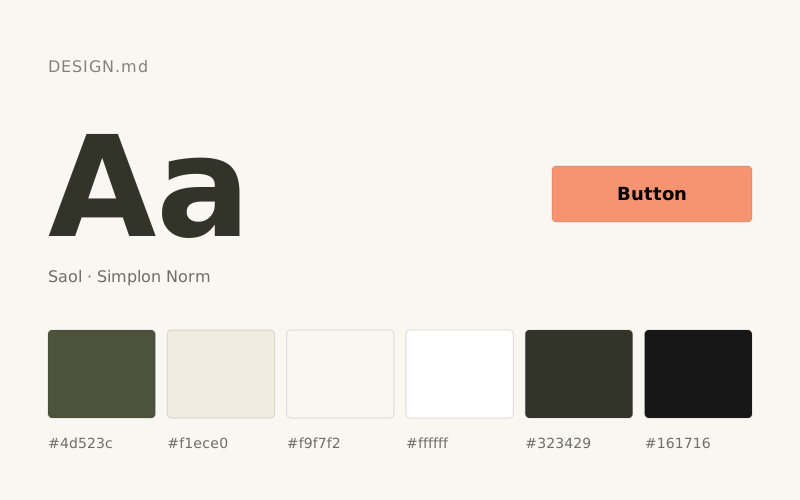
Anthropic tasarım sistemi açık temalı bir arayüz dili kullanıyor. Ana marka rengi Clay (#d97757); metinler Slate Dark (#141413), arka plan Ivory Light (#faf9f5). Tipografide Anthropic Sans, Anthropic Serif ve Anthropic Mono kullanılıyor. Bu DESIGN.md dosyası 16 renk token'ı ve 7 kademeli bir yazı ölçeği içeriyor; Claude, Cursor veya v0 gibi yapay zekâ araçlarına verildiğinde Anthropic tarzında tutarlı arayüzler üretmelerine yardımcı olur.
Bağımsız Stil İncelemesi
Research journal printed on warm stone — authoritative typographic composition where word-level underlines replace color as the primary emphasis mechanism, and the only warmth comes from the paper itself.
Anthropic's site runs on warm ivory parchment (#faf9f5) — not white, not gray, but the color of aged paper under good light. The palette is almost entirely achromatic, with the entire chromatic budget spent on a single earthy terracotta accent (#d97757) held in reserve in CSS tokens but largely absent from the visible UI. Two custom type families do all the personality work: Anthropic Sans drives navigation and UI at tight tracking, while Anthropic Serif delivers editorial weight in headlines and featured content — the serif-plus-grotesque pairing signals research institution, not startup. Headlines use a thick double-underline on key words (visible on 'research' and 'products') as the sole decorative device — it replaces color as the emphasis mechanism. The massive feature cards flip to near-black (#141413) background, creating hard-edged alternating surface bands with zero gradient or shadow softening.
| Renk | HEX | CSS token | Kullanım (İngilizce) |
|---|---|---|---|
| Slate Dark | #141413 | --color-slate-dark | Primary text, borders, nav items, icon fills, card backgrounds — the near-black that appears on both light and dark surfaces, making it function as both foreground and background |
| Ivory Light | #faf9f5 | --color-ivory-light | Page background, button fills, light surface base — the warm off-white that gives the site its parchment character instead of clinical white |
| Ivory Medium | #f0eee6 | --color-ivory-medium | Nav backgrounds, secondary surface level, border highlights |
| Ivory Dark | #e8e6dc | --color-ivory-dark | Body text on dark backgrounds, dividers, subtle borders |
| Oat | #e3dacc | --color-oat | Tertiary surface backgrounds, warm mid-tone fills |
| Cloud Medium | #b0aea5 | --color-cloud-medium | Disabled/muted borders, secondary interactive borders, subdued UI chrome |
| Cloud Light | #d1cfc5 | --color-cloud-light | Dividers, hairline borders, inactive states |
| Cloud Dark | #87867f | --color-cloud-dark | Secondary text, meta labels, timestamps |
| Slate Medium | #3d3d3a | --color-slate-medium | Mid-dark borders, focus rings on light surfaces |
| Slate Light | #5e5d59 | --color-slate-light | Tertiary text, captions, footer secondary content |
| Clay | #d97757 | --color-clay | Accent CTA elements, highlight states — warm terracotta held in reserve for moments of intentional warmth against the achromatic base |
| Accent Ember | #c6613f | --color-accent-ember | Deeper accent state, hover/pressed clay interactions |
| Olive | #788c5d | --color-olive | Thematic tag or category label color variant |
| Sky | #6a9bcc | --color-sky | Thematic tag or category label color variant |
| Fig | #c46686 | --color-fig | Thematic tag or category label color variant |
| Cactus | #bcd1ca | --color-cactus | Thematic tag or category label color variant |
| Font | Ağırlıklar | Yedek font |
|---|---|---|
| Anthropic Sans | 400, 500, 600, 700 | Inter, DM Sans |
| Anthropic Serif | 400, 600 | Playfair Display, Lora |
| Anthropic Mono | 400 | JetBrains Mono, IBM Plex Mono |
| Rol | Boyut | Satır yüksekliği | Token |
|---|---|---|---|
| caption | 12px | 1.3 | --text-caption |
| body-sm | 15px | 1.4 | --text-body-sm |
| subheading | 18px | 1.4 | --text-subheading |
| heading-sm | 20px | 1.4 | --text-heading-sm |
| heading | 24px | 1.3 | --text-heading |
| heading-lg | 61px | 1.1 | --text-heading-lg |
| display | 91px | 1.1 | --text-display |
Tasarım Sistemleri